





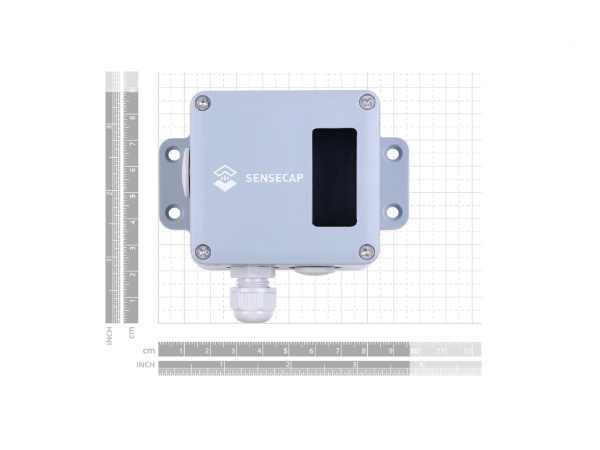
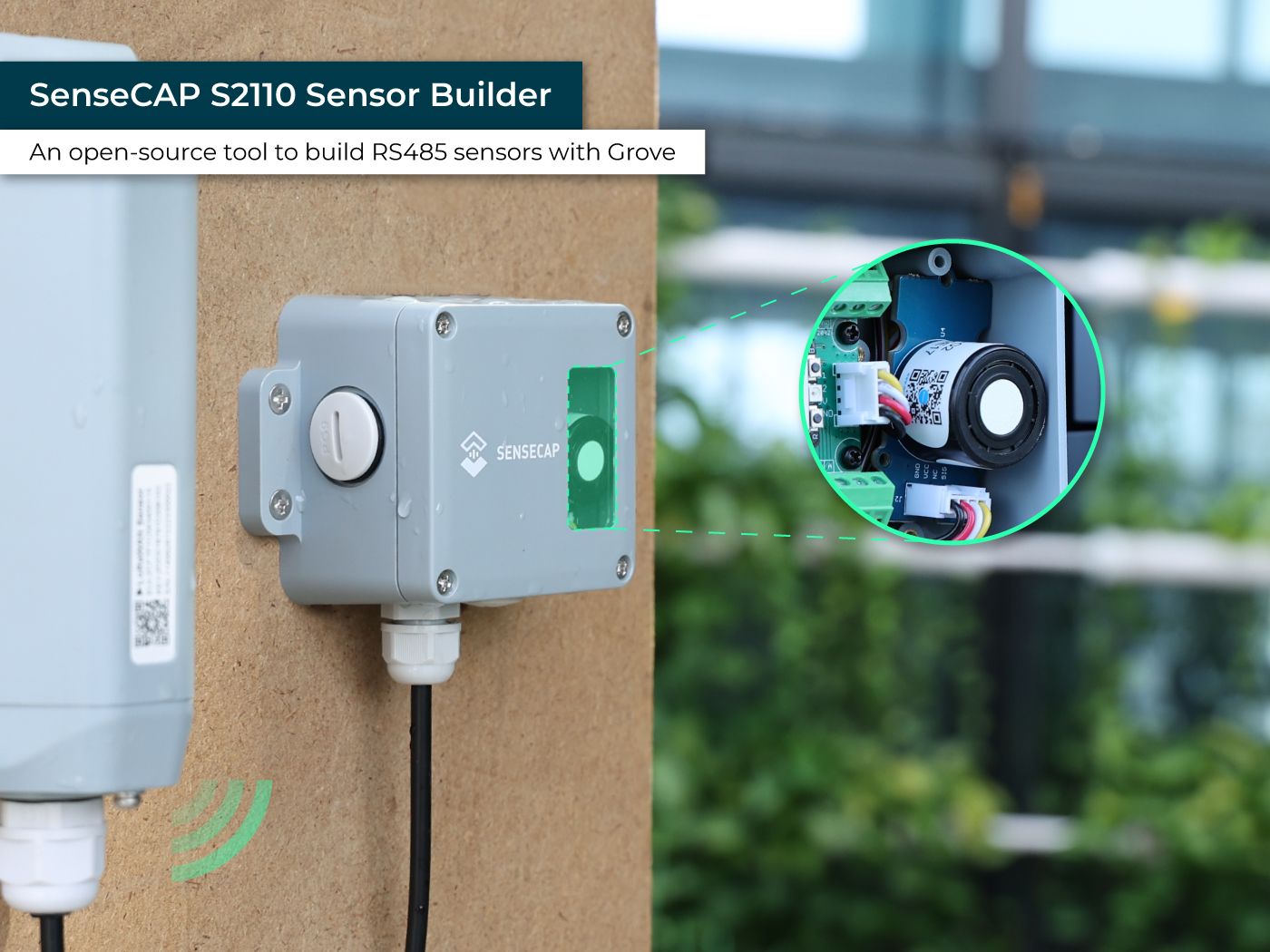
SenseCAP RS485 Sensor Builder S2110
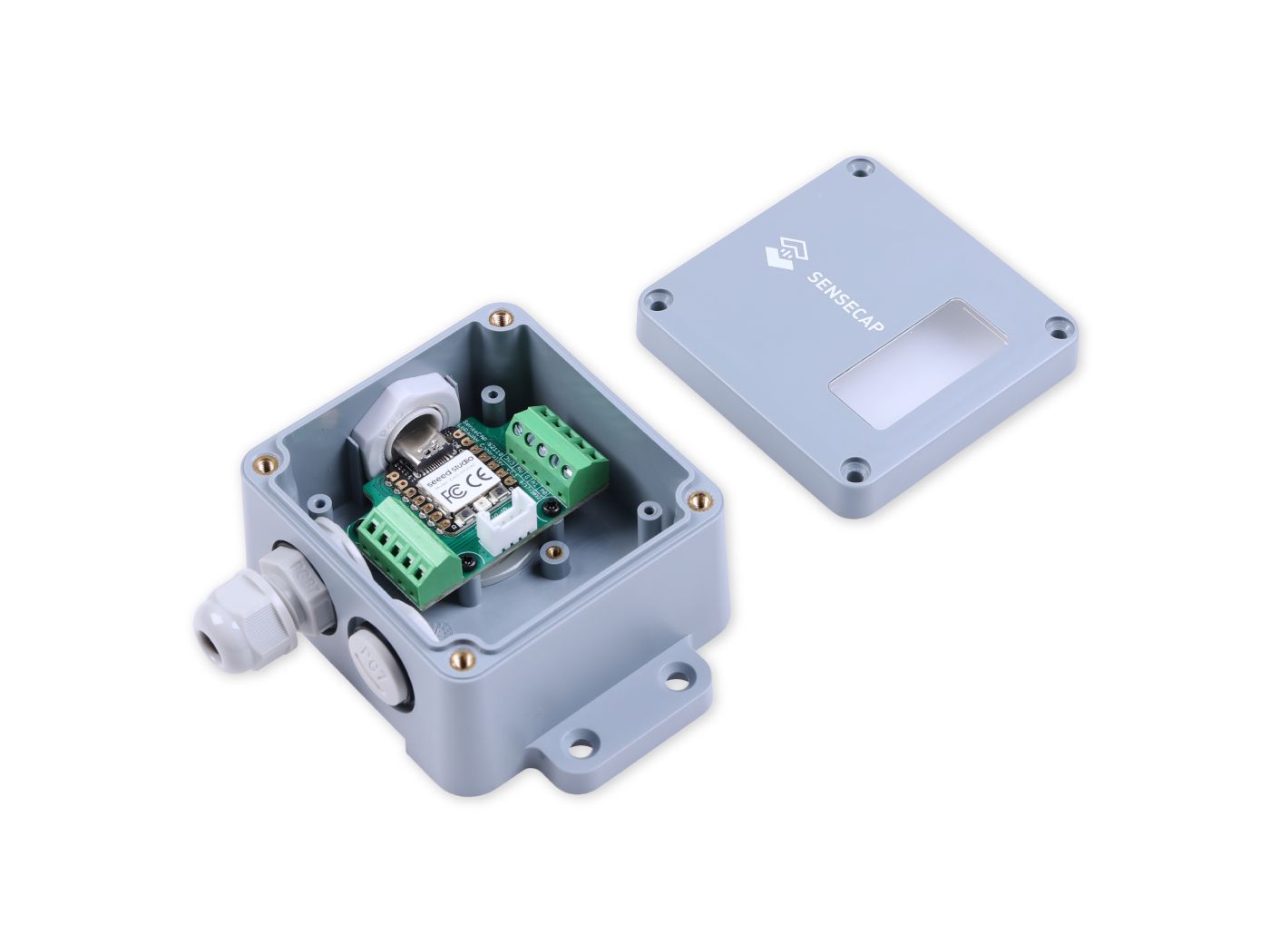
SenseCAP RS485 Sensor Builder S2110 is a Development Board. Connectivity includes RS485, Modbus RTU, USB. Suitable for Environmental measurements and monitoring in Indoor & Outdoor deployments. IP66 enclosure with provisions for light/gas sensing-rated enclosure protection.


Product Overview
SenseCAP S2110 Sensor Builder is an open-source tool to build RS485 sensors with Grove sensors. It also enables developers to build a custom industrial-grade LoRaWAN sensor connecting to SenseCAP Cloud with SenseCAP Data Logger.
Features
- Easily build MODBUS RS485 industrial-grade sensors: With open-source source code and IP66 enclosure, easily convert over 500+ existing Grove sensors to MODBUS RS485 industrial-grade sensors. 6 of the most popular environmental Grove sensors are already fully compatible with native firmware with more to come.
- SenseCAP Data Logger and IoT Platform Compatible: Convert to a SenseCAP LoRaWAN® sensor with SenseCAP Data Logger and take advantage of quick and easy set-up in just 5 minutes with SenseCAP Mate APP.
- Supports Third-party Data Loggers and IoT Platforms: Besides SenseCAP Data Logger, developers could connect to other data loggers that support MODBUS RS485 protocol and third-party IoT platforms.
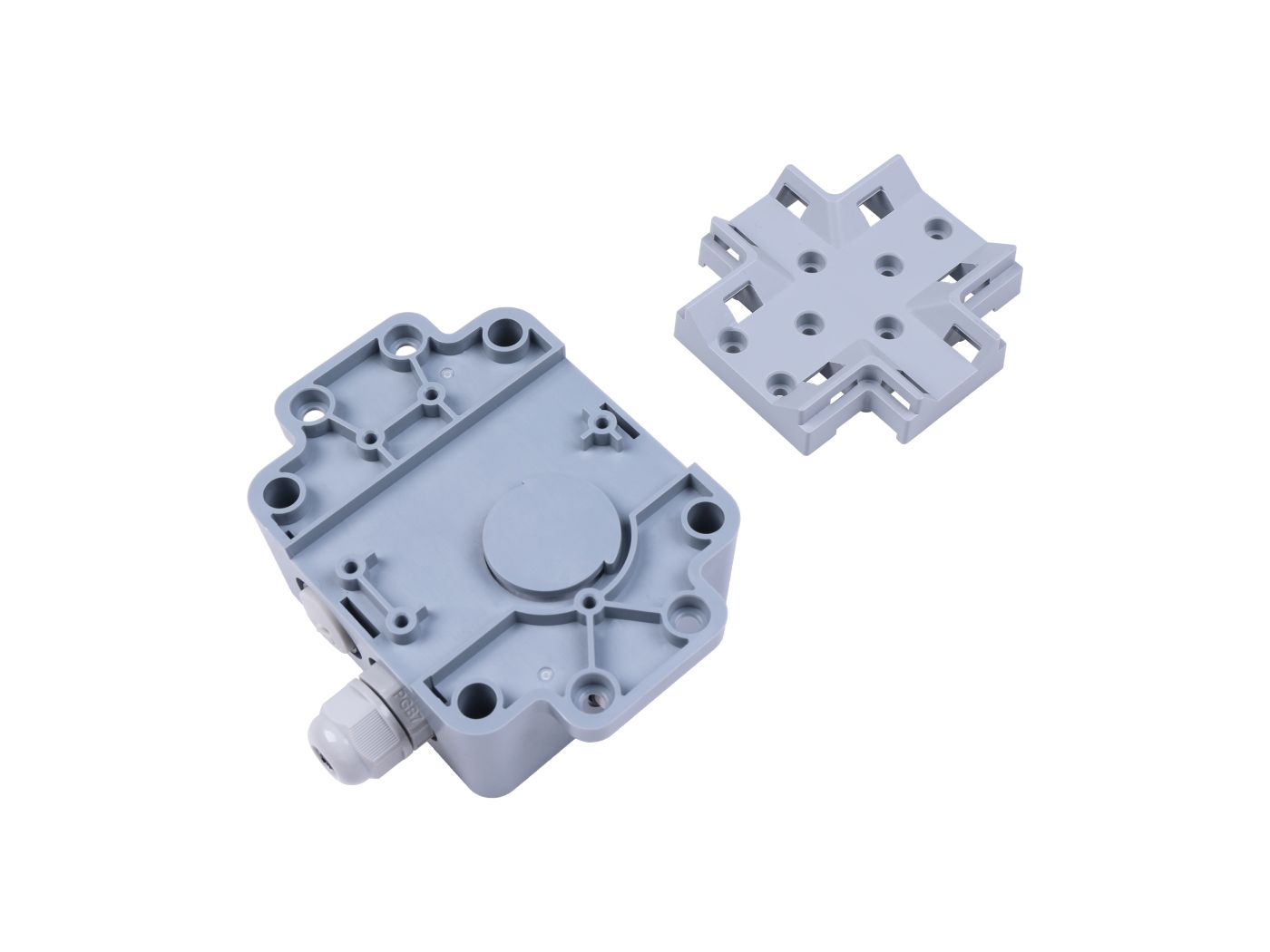
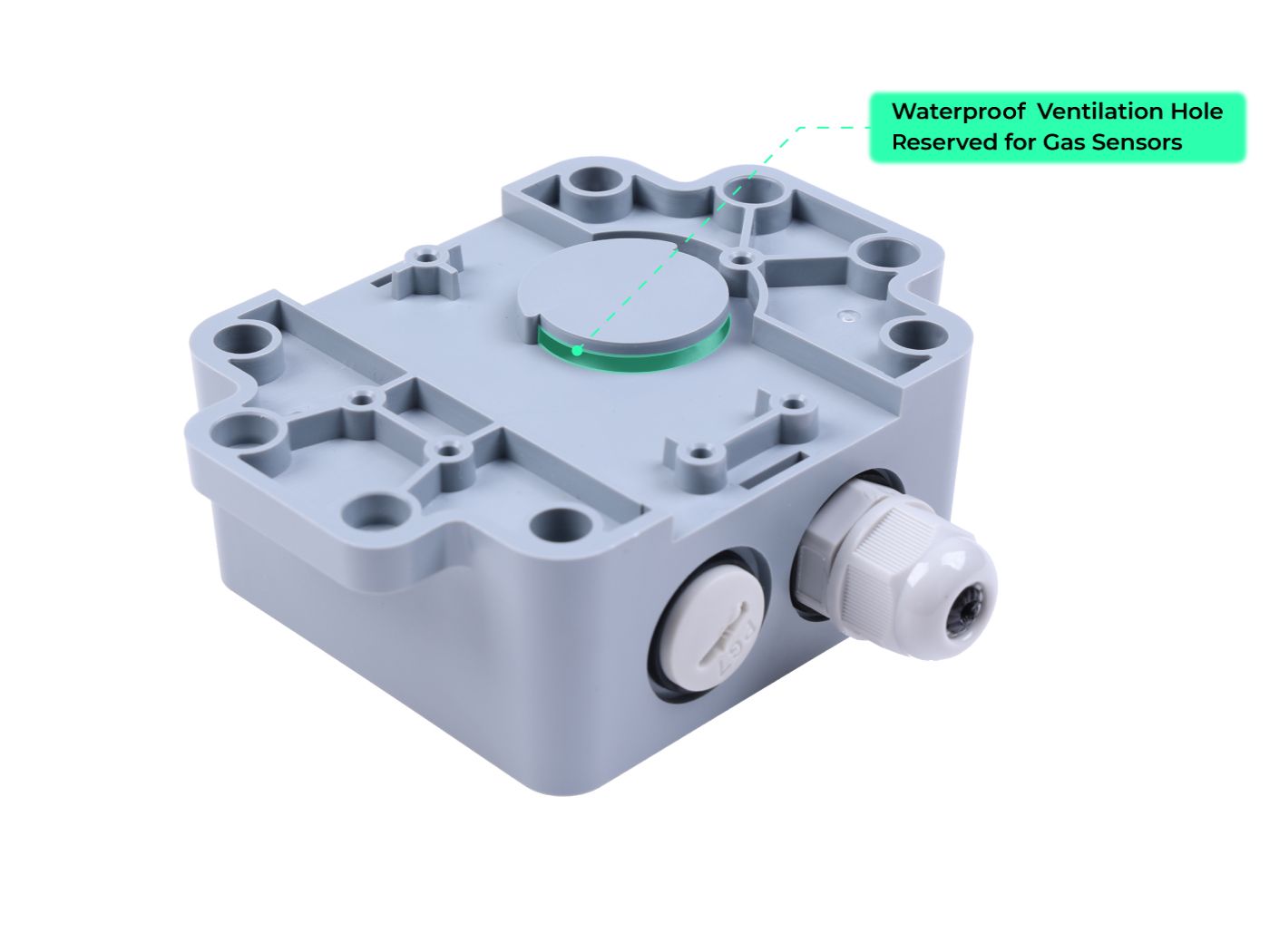
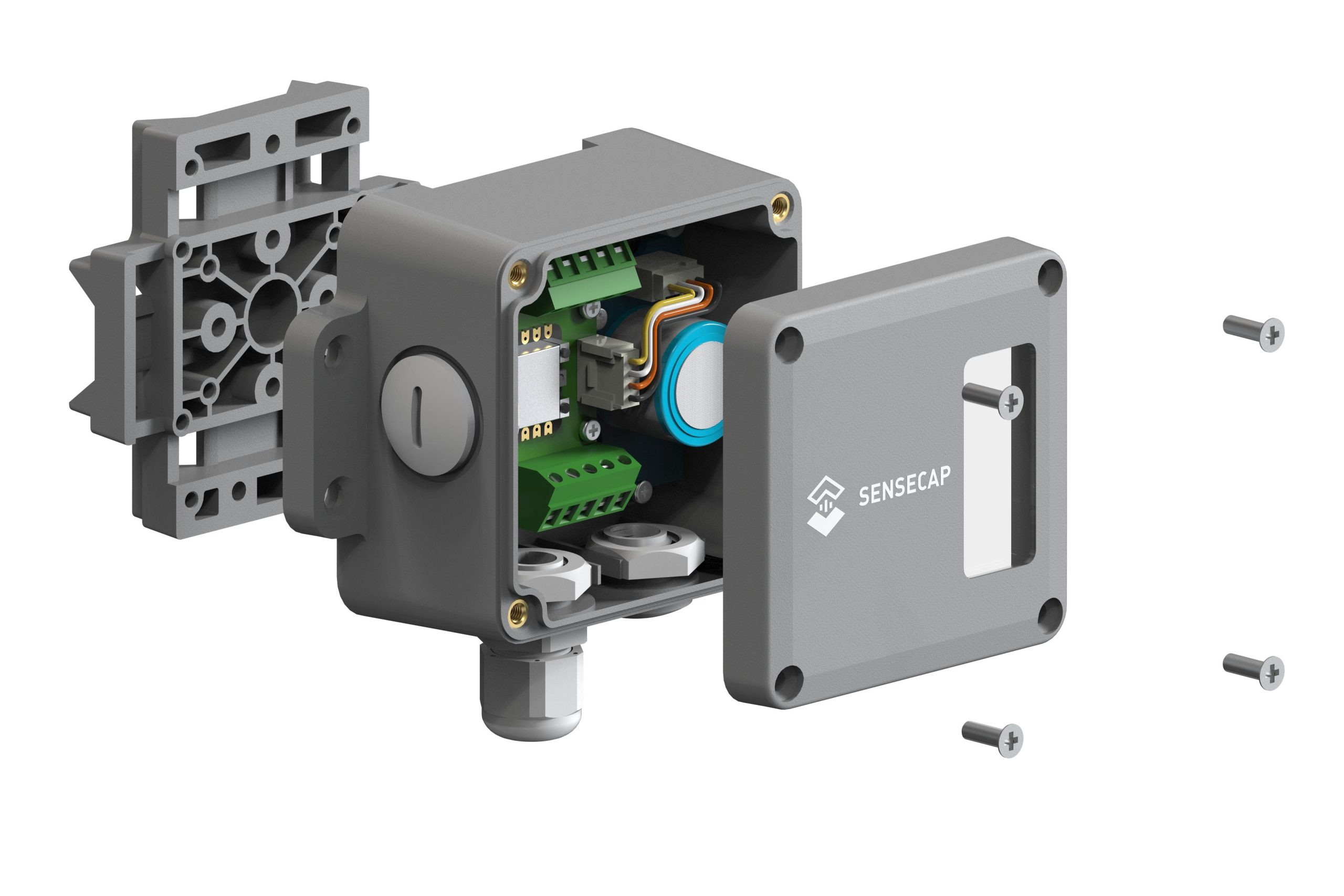
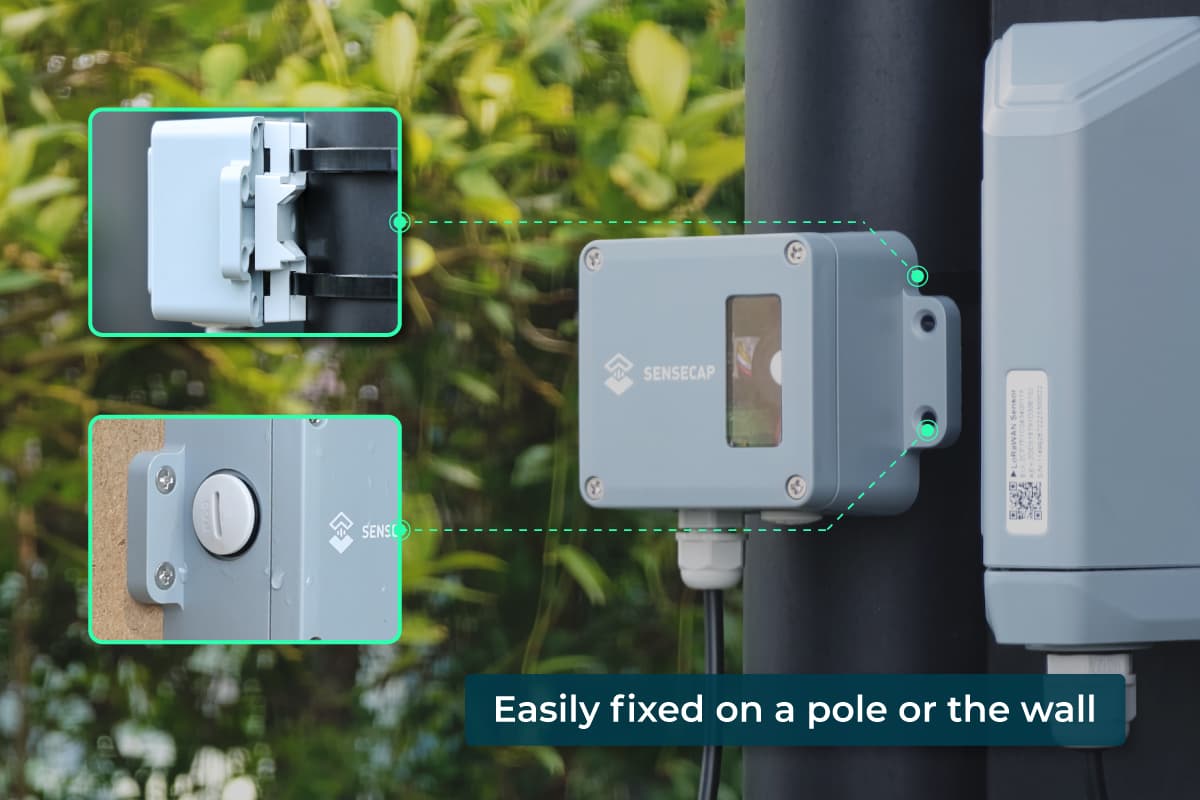
- Ready-to-deploy Industrial-grade Outdoor Enclosure: IP66 waterproof rate outdoor enclosure with window and waterproof ventilation hole reserved for light and gas sensors, also comes with a customized mounting panel, suitable for pole and wall installation.
- Powered by XIAO RP2040: Take advantage of the powerful XIAO RP2040 dual-core ARM M0+ processor and vast open-source resources to customize your own sensor. Easily upload code via USB-C port.
Description
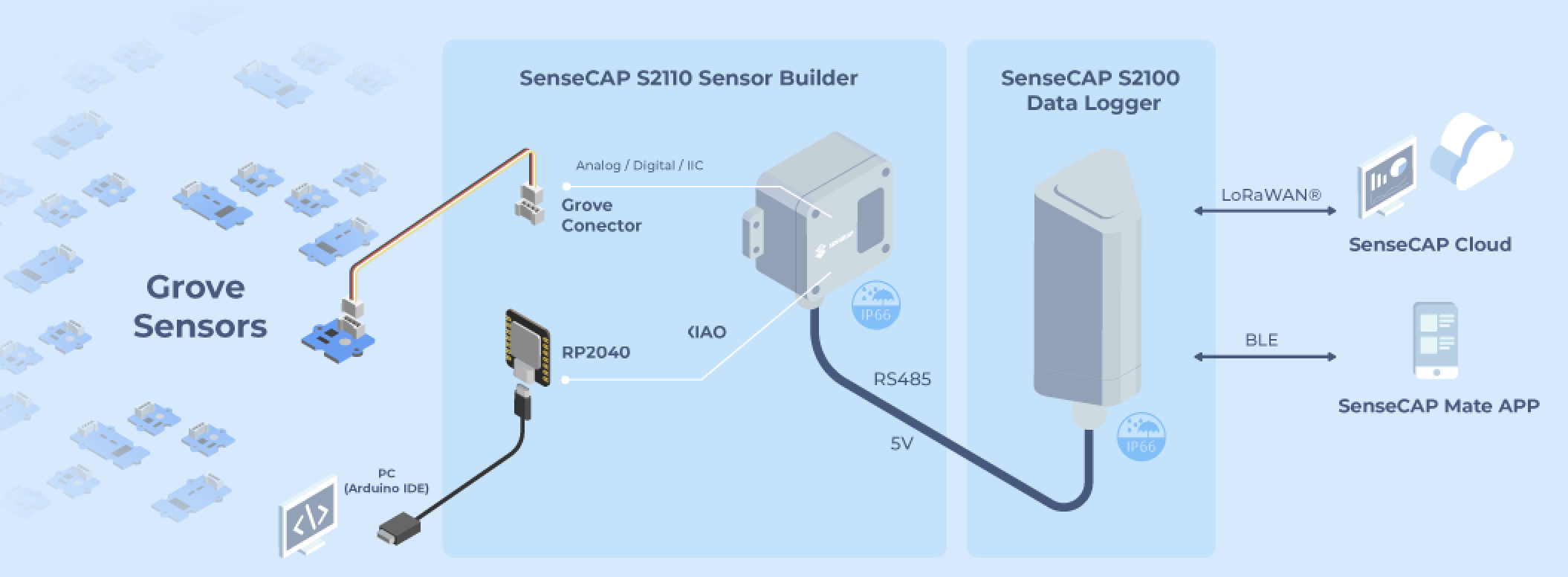
SenseCAP S2110 Sensor Builder has XIAO RP2040 as the dual-core ARM Cortex M0+ processor, and has one Grove and one RS485 connector, enabling developers to connect with 500+ Grove sensors and various MODBUS RS485 sensors to develop custom industrial-grade MODBUS RS485 sensors for various IoT applications.
For the LoRaWAN application, developers could easily connect it with a SenseCAP LoRaWAN Data Logger(*Grove sensors and data logger are not included in the product, learn more on the bundle kit here) to transfer the data to SenseCAP Cloud, which only takes a 5-minute simple BLE configuration in SenseCAP Mate App. Clear data results and further analysis could be easily obtained from SenseCAP Dashboard and SenseCAP Mate App. IoT platforms such as Helium, TTN, LORIOT, etc. are also supported.
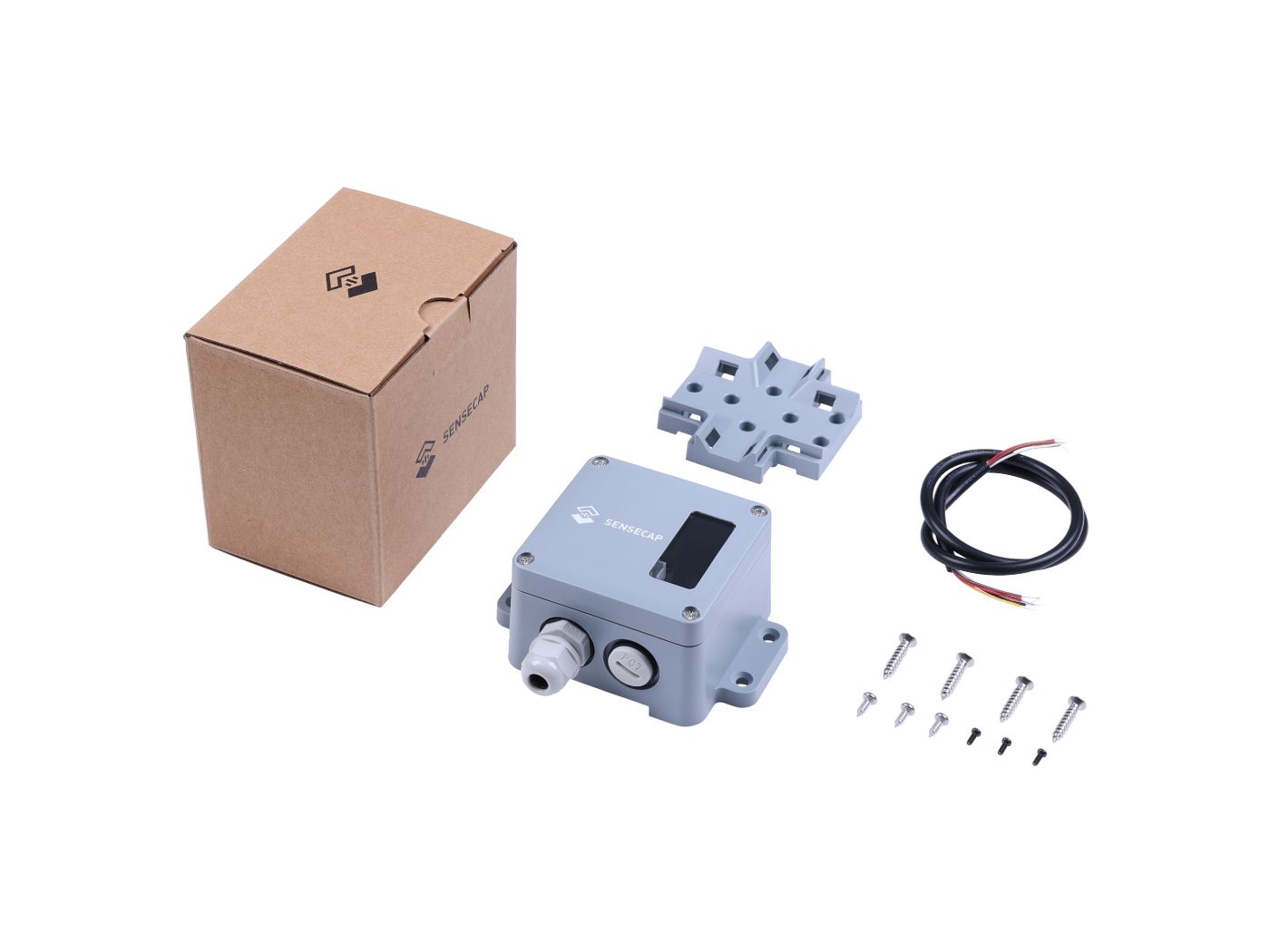
The product comes with an IP66 industrial-grade enclosure, mounting pads, and screws set, which enables you to deploy the sensor outdoors easily and safely.
Usage Scenarios
Assemble a Ready-to-deploy SenseCAP outdoor LoRaWAN sensor
Assemble the SenseCAP S2110 with one of the six Grove sensors supported in the native firmware, and connect to a SenseCAP Data Logger via RS-485, then you will have a ready-to-deploy SenseCAP outdoor LoRaWAN sensor. (Check the guidance)
Customize an industrial-grade MODBUS RS485 LoRaWAN sensor
Assemble a Grove sensor or a MODBUS RS485 sensor to the SenseCAP S2110 Sensor Builder to get an industrial-grade MODBUS RS485 sensor. And developers could:
- Develop a customized SenseCAP outdoor LoRaWAN sensor. Develop the customized firmware and connect it to the SenseCAP Data Logger to get a SenseCAP Outdoor LoRaWAN Sensor for special applications. (Check the guidance)
- Develop a customized sensor for a third-party IoT platform. Develop the customized firmware and connect it to a third-party data logger that enables data transmission to the IoT platform.
Build a sensor prototype and read sensor data through the serial monitor
Choose a SenseCAP S2110 Sensor Builder to connect to the SenseCAP S2110 Sensor Builder, obtain sensor data and test the sensor through the serial monitor while connected via USB. (Check the guidance)
SenseCAP S2110 Sensor Builder builds the bridge between Grove and industrial-grade Sensor. It makes up for the defects of insufficient sensor types and the high cost of existing industrial-grade IoT sensors. It enables developers to build their own MODBUS RS485 sensors according to a specific IoT application. It also builds the hardware bridge for developers to quickly connect the Grove sensors to the SenseCAP Cloud and build IoT applications at a low cost.
Application
- Smart Agriculture
- Smart Buildings & Cities
- Smart Industrial Control
- Office/Home Monitoring
- Environmental Protection
- Other Wireless Sensing Applications

More Information
Twelve Grove Sensors Supported by Native Firmware:
- Grove – Temperature and Barometer Sensor (BMP280)
- Grove – Oxygen Sensor (MIX8410)
- Grove – CO2 & Temperature & Humidity Sensor – SCD41
- Grove – Sunlight sensor – SI1151
- Grove – Light Sensor v1.2 – LS06-S phototransistor
- Grove – Flame Sensor
- Grove – Gas Sensor (BME680)
- Grove – Multichannel Gas Sensor v2
- Grove – TDS Sensor/Meter For Water Quality (Total Dissolved Solids)
- Grove – UV Sensor
- Grove – Ultrasonic Ranger
- Grove – Turbidity Sensor
- Grove – Lightning Sensor
- Grove – ±5A DC/AC Current Sensor (ACS70331)
Part List
|
SenseCAP S2110 Sensor Builder |
1 |
|
Mounting Pad |
1 |
|
Screws Set |
1 |
|
RS-485 Cable |
1 |
*SenseCAP S2100 LoRaWAN Data Logger and Grove Sensor are not included in this product. Please check the bundle page here if you want to purchase a bundle.
FAQs:
1. Is the LoRaWAN network coverage necessary when using the SenseCAP S2110?
If you want to build a LoRaWAN sensor with SenseCAP S2110, ideally, yes. LoRaWAN enables your solutions with ultra-low power consumption and wide-range transmission. When connecting with the SenseCAP S2100 Data Logger, this device can be connected to the local LoRaWAN network if there’s network coverage nearby. Also, you can manage to a build LoRaWAN network on your own by deploying LoRaWAN gateways. (Check SenseCAP LoRaWAN gateways)
2. What APP can be used when binding the SenseCAP S2110 and managing the device?
The SenseCAP Mate can be used to bind the gateway to the SenseCAP Cloud and manage the device. It is a powerful tool for the usage of the SenseCAP S2110 Sensor Builder.. iOS; 2. Google Play; 3. App Center
Policies & Guidelines
Warranty, shipping, and purchasing information
- All prices are stated in US dollars (USD), unless otherwise indicated.
- Full payment must be received and confirmed before an order is prepared or dispatched.
- Payment may be made by bank transfer, Bitcoin, or USDT. The payment methods available for each order are displayed at checkout.
- Shipping charges are shown separately at checkout. The quoted shipping charge includes applicable import duties, taxes, and customs-clearance charges for the delivery destination.
- An electronic invoice is made available in the Customer’s account after payment confirmation. An official sales invoice also accompanies the shipment.
- Orders may be cancelled for a full refund before order preparation begins. Once preparation has begun, cancellation is subject to the order’s processing status.
- A Customer wishing to return a non-defective product must request the return within 30 days of delivery. The product must be returned in good condition with its official sales invoice.
- For a non-defective return, the Customer is responsible for return shipping. The refund covers the product price only; the original shipping charge is not refundable.
- Refunds for returned products are initiated after the returned goods have been received and their condition verified. Approved refunds are initiated within seven business days and returned through the original payment method.
- The refundable amount is based on the USD value paid for the product. Refunds for Bitcoin or USDT payments are calculated against that USD amount, rather than a fixed quantity of cryptocurrency. The time required for funds to reach the Customer depends on the payment method and processing provider.
- All devices, sensors, and accessories purchased directly from SenseCAP are covered by a one-year warranty from the date of delivery.
- Warranty eligibility is verified against the original sales record and, where available, the product serial number. For products without a serial number, the order details and official sales invoice are used to identify the purchase.
- The warranty covers manufacturing defects and internal hardware failures arising under normal use and within the product’s specified operating conditions.
- Products that arrive damaged or non-operational should be reported to SenseCAP so that the appropriate shipping or warranty procedure can be arranged.
- Warranty claims are assessed through technical review. Depending on the findings, the resolution may include remote assistance, replacement parts, repair, or an equivalent replacement.
- Customers must obtain return authorization and shipping instructions before sending a product for warranty service.
- For an authorized warranty return, the Customer pays the cost of shipping the product to the designated service location. SenseCAP pays standard shipping for the repaired or replacement product back to the Customer.
- Warranty service addresses the supplied hardware. Network availability, connectivity, subscription services, and any network-based rewards depend on their respective operating requirements and are not guaranteed by the hardware warranty.
- Orders are shipped on a Delivered Duty Paid (DDP) basis to all available delivery destinations.
- The shipping charge displayed at checkout includes transportation, applicable import duties, taxes, and customs clearance. These import charges are not payable separately by the recipient.
- Products with a stated dispatch date are scheduled according to the date shown on the product page. Where no dispatch date is stated, the product is ready for dispatch and is handed over to the carrier within two business days after payment confirmation.
- Dispatch dates refer to handover to the carrier, not delivery to the Customer. Transit time depends on the destination and carrier service.
- Each shipment is accompanied by an official sales invoice and declared using an accurate product description, invoice value, and applicable customs classification.
- Tracking information is provided after the shipment has been handed over to the carrier.
- Customers are responsible for providing an accurate delivery address and any recipient information required to complete delivery and customs formalities.
- Shipping damage should be reported promptly. Customers should retain the product, original packaging, shipping labels, and invoice while the claim is assessed.
- If a shipment is lost or damaged, SenseCAP will review the case with the carrier and advise the Customer of the applicable resolution. Where the issue results from a packing or documentation error attributable to SenseCAP, the resolution may include repair, replacement, or refund.
Policy & Support Pages
Open the complete service, delivery, and support pages